HOW TO REGISTER?
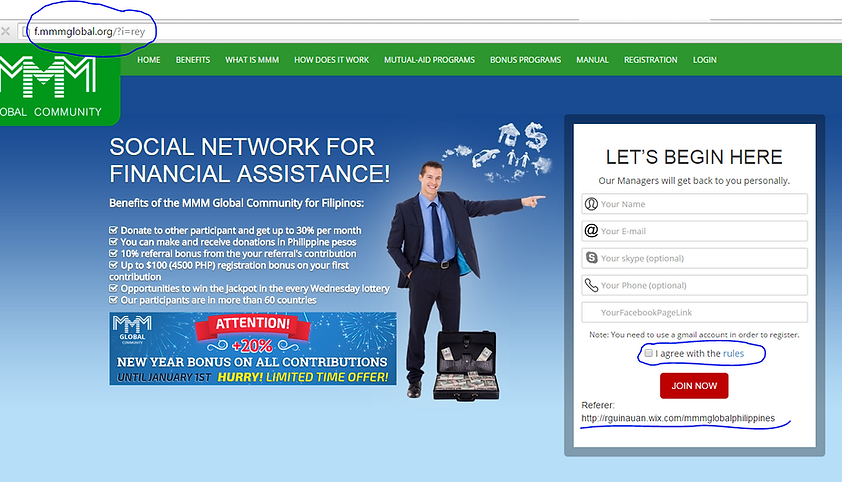
Go to The referal link then fill up the following list in form Then check the blank box and click join now
Your Name:
Your email:
Your Skype:
Your Phone Number:
Your Facebook Link

Go to your email go to inbox or spam message from find personal office message open it and click the verification link send to you to verify your account then redirectly go to mmmoffice to change your password. please type new password and retype new password and click change


Log in your email and password to complete the registration if you are successfully registered

Log in your account in MMM global go to my page then click my page again then edit the ff details:
Invite Name: Is your referral link view
First Name:
Last Name:
Cell No: Is a very inportant verify your mobili by clicking confim
Facebook Link:
Click Save to change your account be active


How to see your referal link in MMM log in your account click Participants the click Referrals then click form the right side Show my referral link then you will see your refferal link look base on your nickname that you edit from my page


